nocal v4.5: A lighter, faster app and spaces inside your notes
nocal 4.5 cuts the desktop download by more than half, so the app opens faster and takes less room on disk. And a new @ mention pulls a whole space — its pinned events, note, and open tasks — right into any note, live. Plus a narrower desktop window and mobile updates.
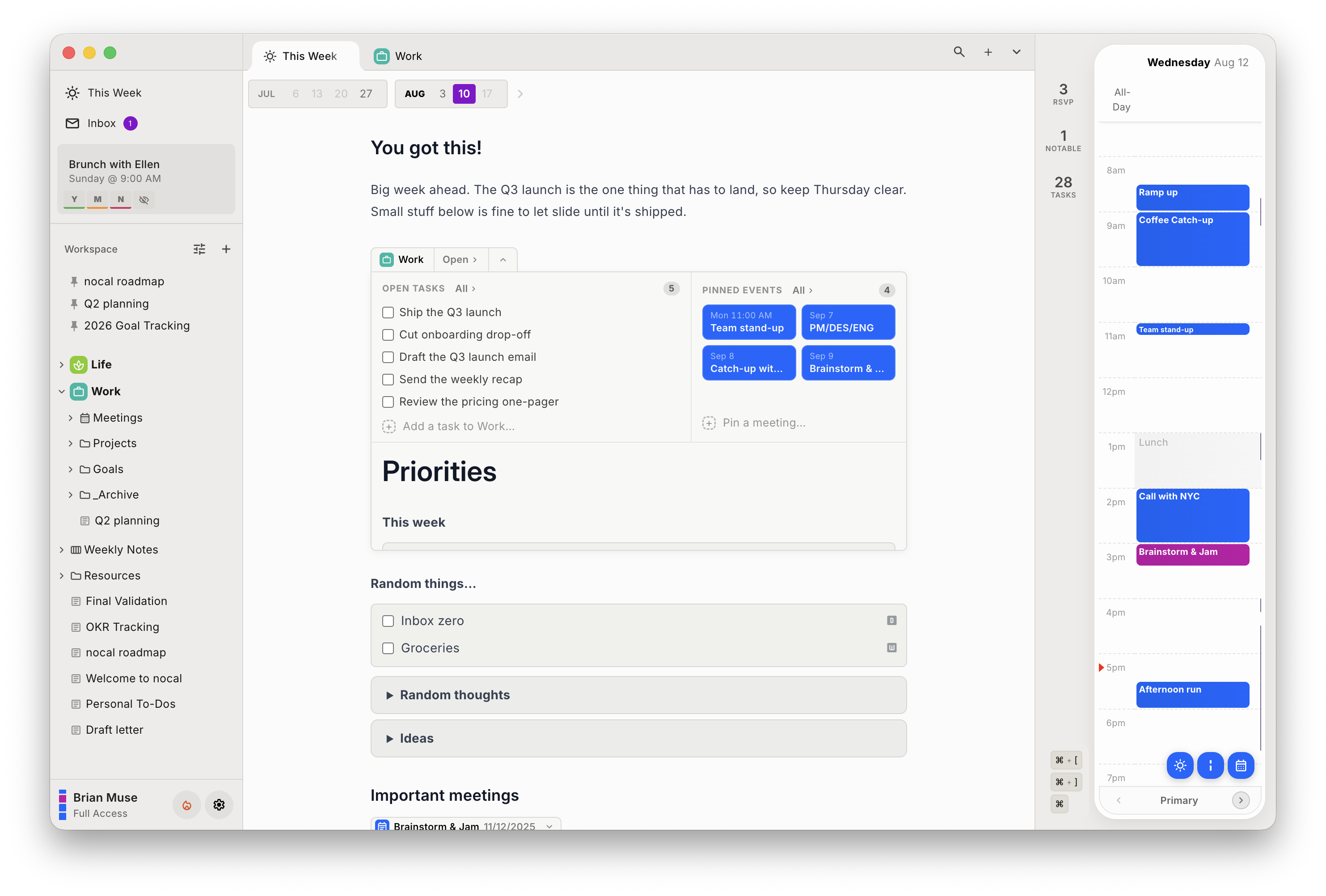
Today we are releasing nocal v4.5.
Two changes anchor this release. The desktop app is much lighter — the download is cut by more than half, so nocal opens faster and takes less room on disk. And there is a new way to work with your spaces: type @ in any note to pull a whole space — its pinned events, its note, and its open tasks — right into what you are writing.
A lighter, faster app
We rebuilt what nocal ships. The app was bundling code it never ran and sitting on an older foundation. In 4.5 we cut the dead weight and moved to a newer base.
The result is simple to feel:
- The download is cut by more than half. Less to fetch, less to store.
- It opens faster and takes up less room on disk.
- Nothing about your calendar or notes changes — the app is just leaner underneath.
This is the kind of work you do not see in a screenshot. You see it the first time the app opens and it is already there.
Bring a space into any note
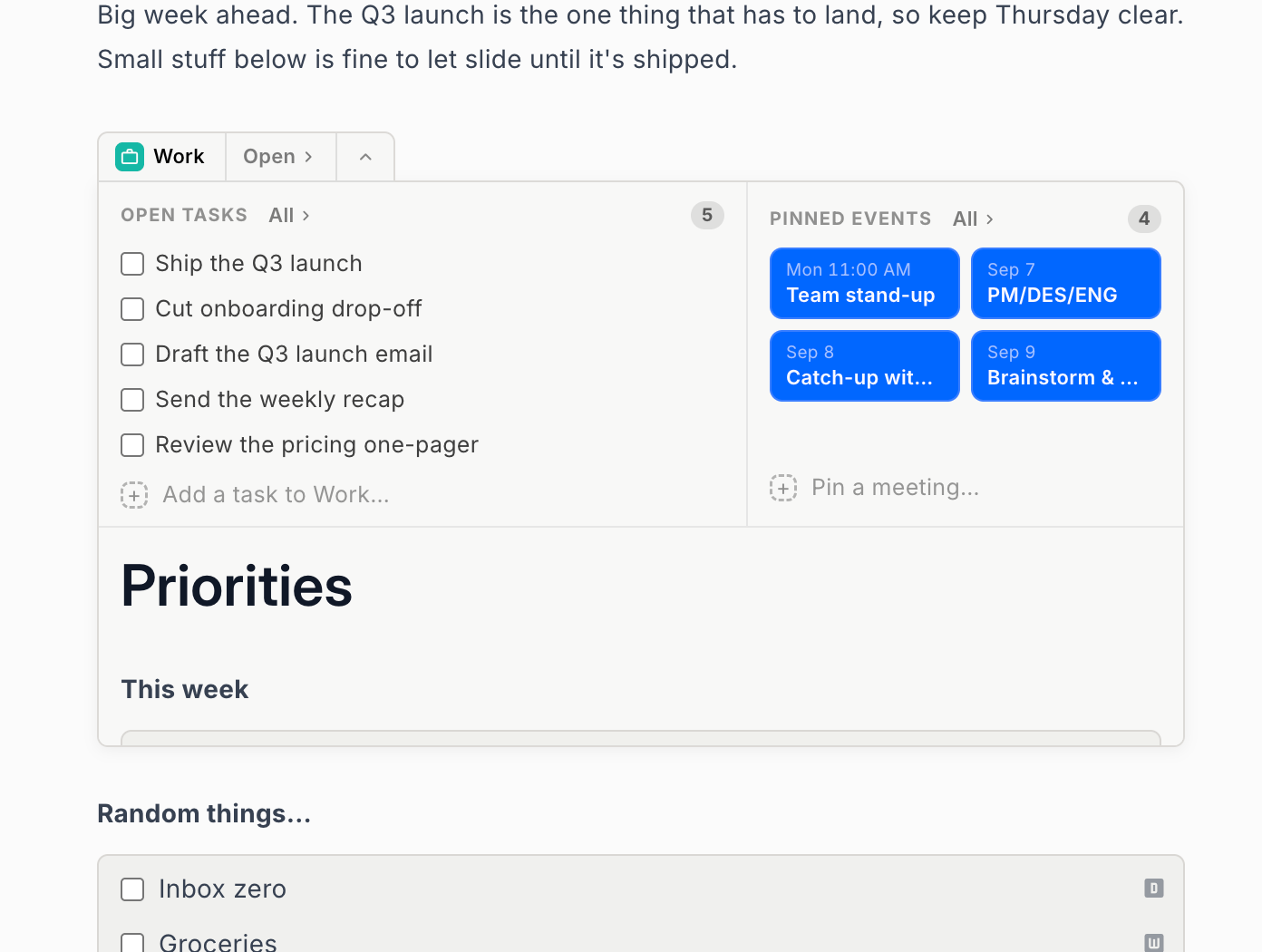
A space holds a project's pinned events, its note, and its open tasks. Until now, that context lived in one place. In 4.5 you can bring it wherever you write.
Type @ in a note, pick a space, and it drops in right where your cursor is:
- Its pinned events, note, and open tasks all render inline.
- They stay live — check off a task or change a pinned event and the note keeps up.
- It is a fast way to pull a project's context into your daily or weekly note, without copying anything by hand.
Also in 4.5
A few smaller changes round out the release:
- Desktop Works at smaller window sizes. nocal now fits comfortably in a narrower window, so it sits well side by side with your other apps.
- Mobile Manage pinned events on the go. Pin a meeting, unpin one, or open a meeting's agenda from a bottom sheet, all from your phone.
- Mobile Fewer interruptions. A new per-event toggle skips grace-time and speedy-meeting nudges for a single meeting.
- All A cleaner spaces view, with tidier tasks, pinned tiles, and note widgets.
We also made saving an event fail loudly on mobile instead of missing in silence — you now get clear feedback when an event does not save.
Available now
4.5 is rolling out across desktop, iOS, and Android.
The through-line of this release is less friction: a lighter app that opens faster, and a note that can hold a whole project without you moving anything by hand. More soon.
 Download for Mac
 Download for Windows
 Google Play Store