nocal v4.4: Book from the menu bar, search everything at once
nocal 4.4 turns the menu-bar calendar into a place you can actually book and edit meetings, and unifies search so one box spans your events and your notes. Plus natural-language booking in the menu bar, task-linked focus time, and a refreshed mobile home.
Today we are releasing nocal v4.4.
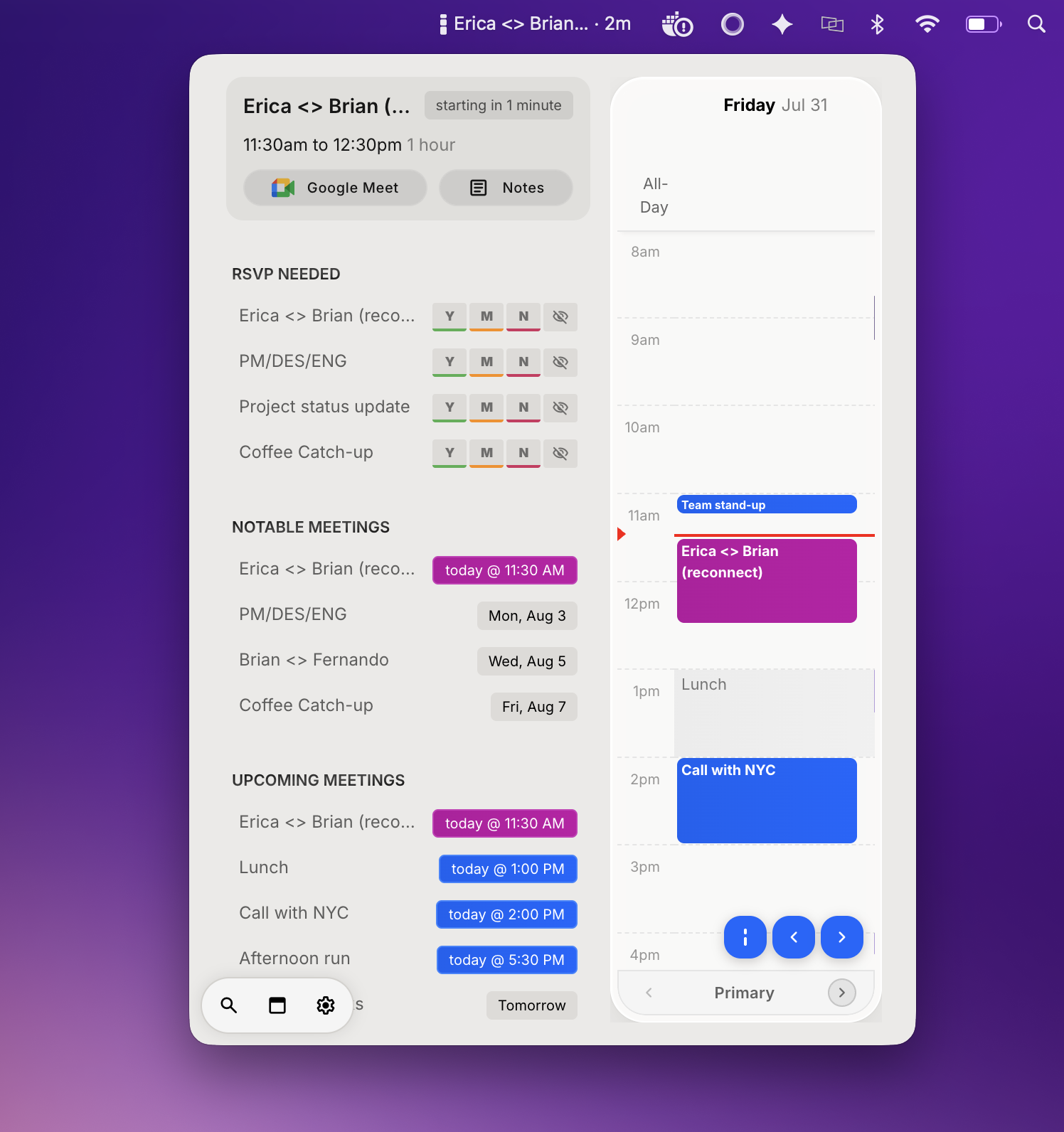
Two changes anchor this release. The menu-bar calendar is no longer a read-only glance at your day — you can book and edit meetings without ever opening the main window. And search stops being notes-only: one box now spans your events and your notes at once.
Book and edit from the menu bar
The menu bar has always been the fastest way to see what's next. In 4.4 it becomes the fastest way to act.
- Drag to book. Drag across the menu-bar calendar to create an event, right there in the dropdown.
- Click to edit inline. Click any event to change attendees, location, video link, or recurrence — no window, no context switch.
- Your next meeting, always visible. The menu bar itself shows your next meeting and a live countdown to it.
The whole point of a menu-bar app is that the calendar meets you where you already are. Until now that promise stopped at reading. 4.4 finishes it: search, book, and edit all happen in the dropdown.
One search for everything
Search used to look through your notes. That left a gap: your calendar is half of what lives in nocal, and it wasn't in the box.
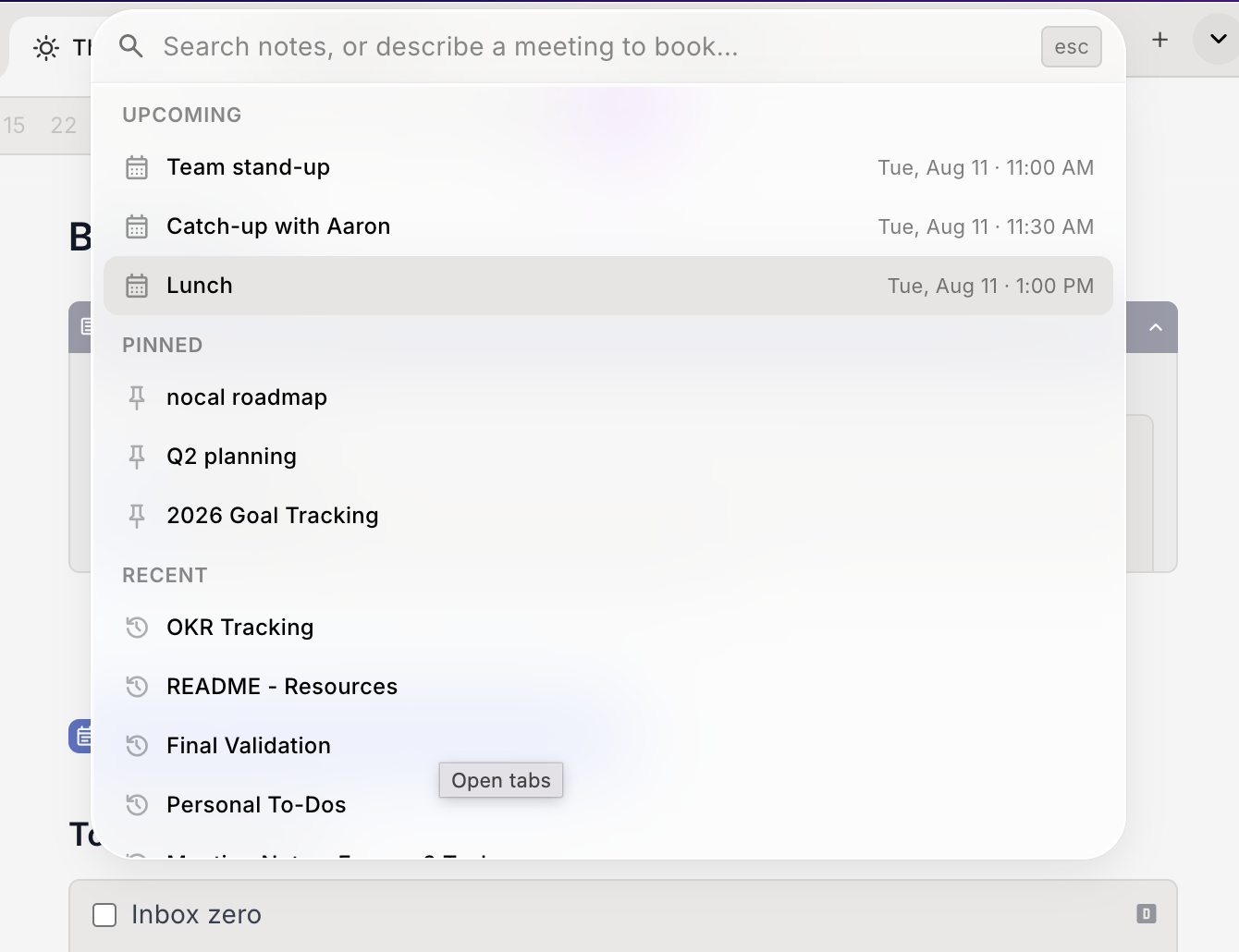
4.4 unifies it. A single search now spans your events and your notes together, and it's ready the moment you open it:
- Nothing typed, still useful. Your pinned, recent, and upcoming items are waiting before you press a key.
- Desktop Fully keyboard-driven. Open it anywhere with ⌘K, move with the arrow keys, and press Enter to open — hands never leave the keyboard.
- All One place to find a meeting from last Tuesday and the note attached to it.
Also in 4.4
A handful of smaller changes round out the release:
- Desktop Describe a meeting, watch it fill in. Natural-language booking — type what you want and the form completes as you go — now works in the menu-bar app too, not just the main window.
- Desktop Focus time that knows the work. Book a focus block by saying what you'll do: type "Focus on email" and the email task is attached to the event for you.
- Mobile A warmer home. An empty weekly note now invites you to start writing instead of showing a bare line.
- Mobile A refreshed floating nav bar that lifts off the bottom of the screen, with a clearer active tab, larger tap targets, and a new-note button with real depth and a satisfying tap.
We also fixed the mobile inbox getting stuck on its loading placeholders, a pair of subscription issues (being unable to finish subscribing when the app store was briefly unreachable, and status not updating until you restarted the app), and a desktop crash that could take down the note editor as it opened.
Available now
4.4 is rolling out across desktop, iOS, and Android.
The through-line of this release is reach: the menu bar can now do the everyday work you used to open the main window for, and search finally covers everything nocal holds. More soon.
 Download for Mac
 Download for Windows
 Google Play Store