nocal v2.4 released
Multiple accounts, calendar groups with hotkey navigation, and flexible calendar visibility controls
We're excited to announce the release of nocal v2.4, a major update that transforms how you manage multiple calendars and accounts. This release introduces powerful new organization features that streamline calendar management, whether you're managing separate work and personal accounts or coordinating across multiple Google Calendar accounts.
Multiple Accounts Support Full Access
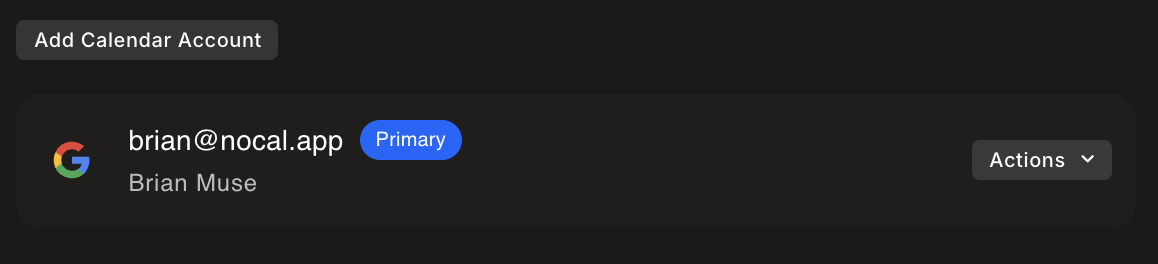
One of the most requested features is finally here: nocal now supports multiple Google Calendar accounts. Whether you maintain separate work and personal accounts, manage calendars for different projects, or need to coordinate across multiple Google accounts, you can now connect them all in nocal.
Adding additional accounts is straightforward. Navigate to Preferences and open the Calendars section. After authenticating with Google, your new account's calendars will appear alongside your existing ones. All calendars are accessible through a unified interface, providing a consolidated view of your complete schedule.
Calendar Groups with Hotkey Navigation
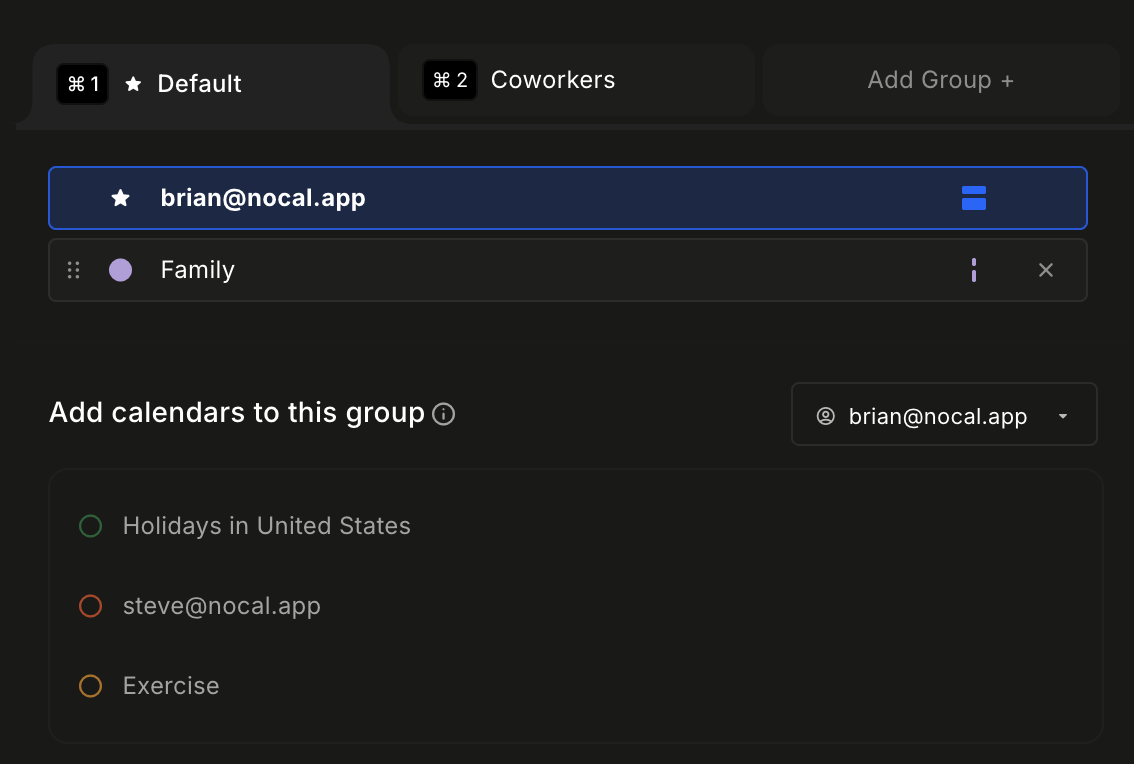
With multiple accounts comes the need for better organization. v2.4 introduces calendar groups, enabling you to organize calendars and quickly switch between different views using hotkeys.
Create groups for different contexts—work, personal, family, or any organization system that fits your workflow. Once created, assign each group a hotkey for instant access. Toggling between groups provides immediate context switching, allowing you to view all relevant calendars in one place without visual clutter.
Flexible Calendar Visibility Full Access
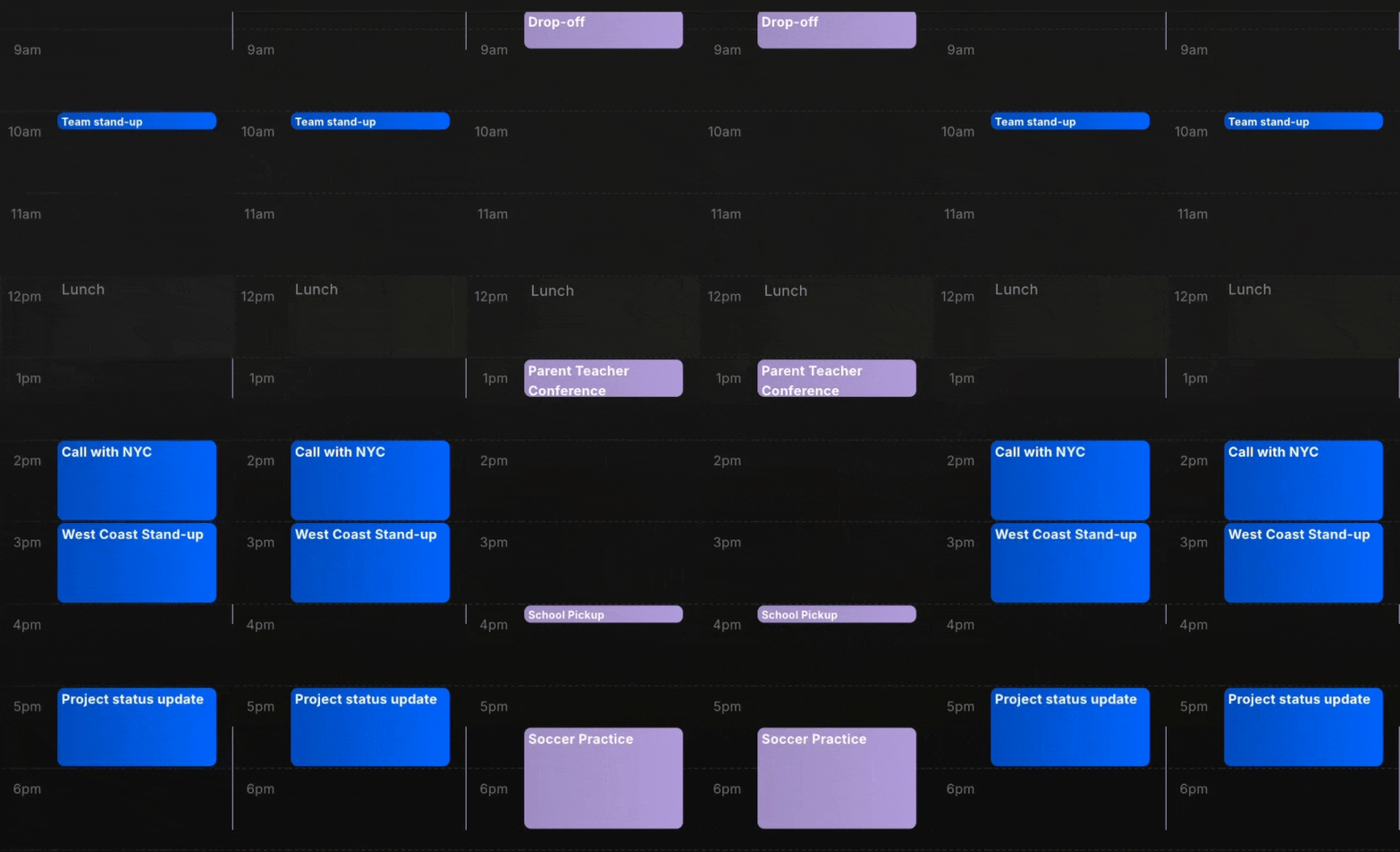
Not all calendars need to be visible at all times. v2.4 provides fine-grained control over calendar visibility within groups. For each calendar in a group, you can configure one of two visibility modes:
Show by default calendars are always visible when you switch to that group. These are your primary calendars—the ones you need to see immediately when focusing on a particular context.
Minimized bars calendars are collapsed into compact bars that display only the event count or a brief summary. These calendars remain accessible but stay out of the way. When you need details, expand them on demand. This is ideal for secondary calendars that you want to monitor without cluttering your view.
This flexible system enables you to balance visibility and focus. Keep your most important calendars front and center, while maintaining quick access to everything else when needed.
Drag and Drop Improvements
v2.4 includes significant improvements to drag-and-drop functionality, available on both desktop and mobile platforms. You can now drag events to reschedule them, drag to expand event durations, and use drag-and-drop interactions throughout the calendar interface.
These enhancements make event management more intuitive and efficient. Whether you're adjusting meeting times on desktop or reorganizing your schedule on mobile, drag-and-drop provides a natural way to interact with your calendar.
A More Organized Calendar Experience
Together, these features create a more organized and efficient calendar experience. Multiple accounts enable you to consolidate all calendars in one place. Calendar groups help you organize them by context. Hotkey navigation provides instant context switching. Flexible visibility ensures you see what matters without distraction. And improved drag-and-drop interactions make event management more intuitive across all platforms.
Whether you're managing a busy work schedule alongside personal commitments, coordinating family calendars, or juggling multiple projects, v2.4 provides the tools to stay organized and focused.
Get nocal v2.4 Today
nocal v2.4 is available for download now for macOS, Windows and Android. The multiple accounts, calendar groups, and flexible visibility features are available to Full Access subscribers.
If you're not yet a Full Access subscriber, you can upgrade directly from within the app to unlock these powerful new features. We're excited for you to experience how these updates transform your calendar management.
Your feedback continues to be invaluable as we build nocal. Please share your thoughts and report any issues you find via [email protected].
 Download for Mac
 Download for Windows
 Google Play Store